
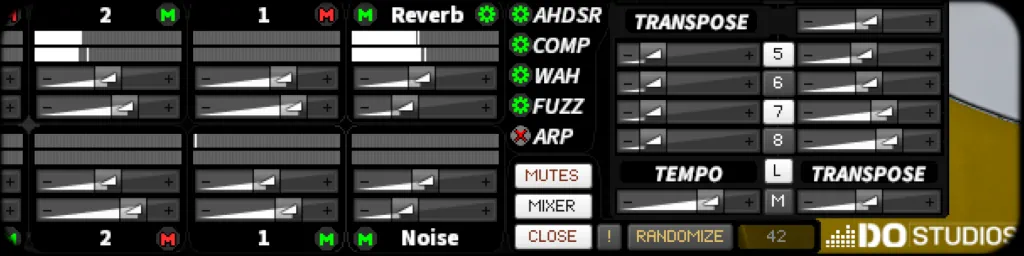
Guitarocracy Update 1.0.1 is available now.
Open Native Access, select Updates in the left navigation. Look for Guitarocracy, and install the 1.0.1 update.
This release is about the instrument following you: your tuning, your scale, your keyboard, and your arpeggiator.

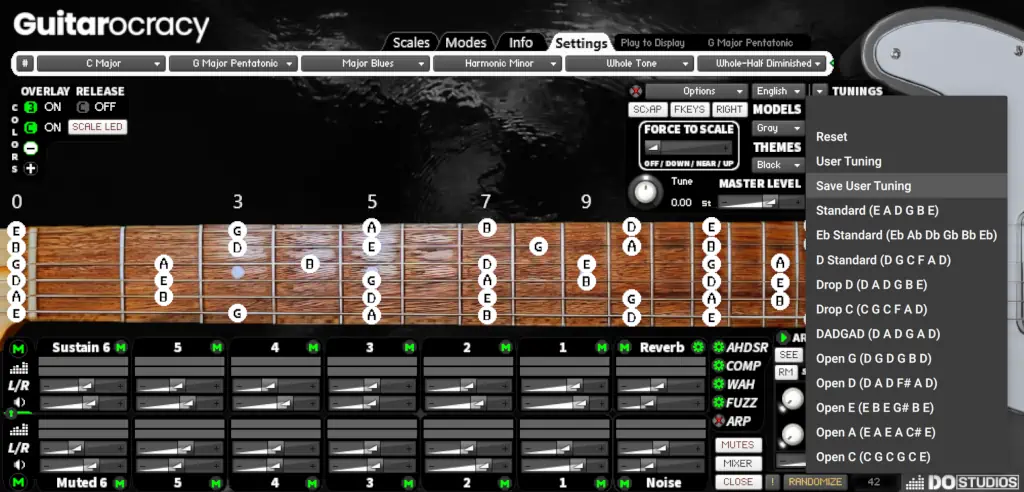
Tune the guitar. The neck follows.
You can set each string’s open pitch and save a User slot, or grab factory tunings (Standard, Eb Standard, Drop D, DADGAD, Open G / D / E, and more).
The virtual fretboard, tap-to-play, and scale/mode display all use that tuning. Change Drop D and the lights, the notes you tap, and the names on the neck move with it.
Scales that read like theory
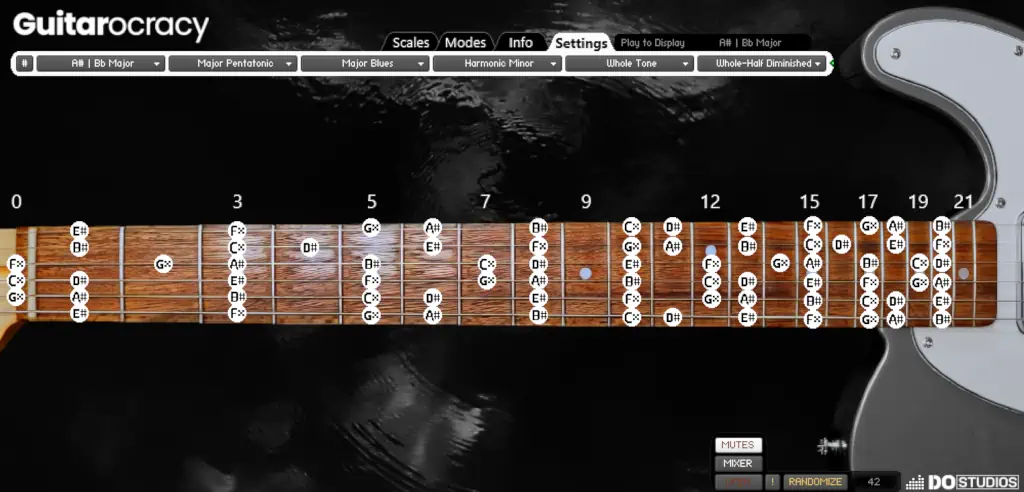
Note names can show # or b from the scale/mode bar. When the key needs them, you also get double-sharps and double-flats (for example A# Major).
The same scale drives the neck, optional Komplete Kontrol LEDs, Force to Scale, and Scale → ARP.
Your scales, four slots
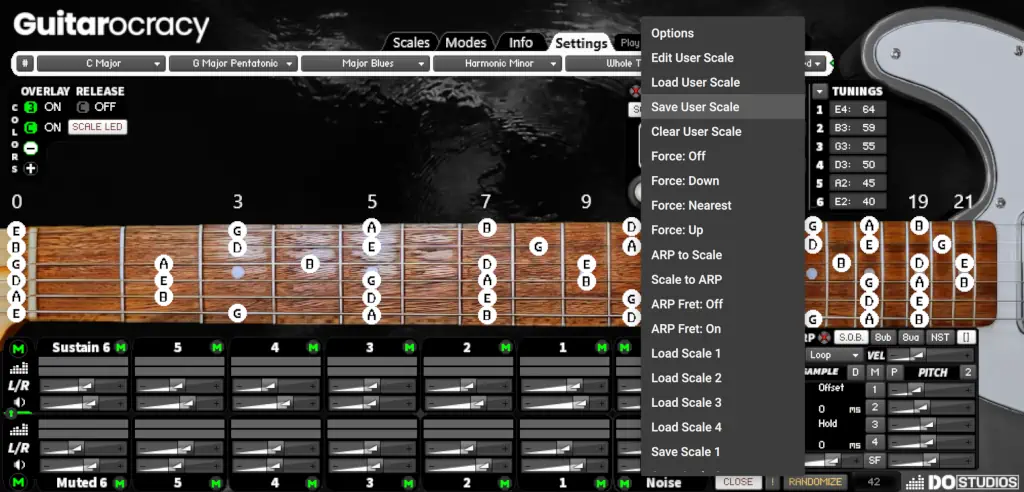
Build a custom scale on the fretboard or the keyboard. Load, save, and clear from the Overlay menu.
There are four user slots with quick load/save — including from the function keys when Keyboard Functions are on. Edit-from-keyboard uses the playable range only, so mute / Play / slot keys don’t rewrite the scale.
Stay in key
Force to Scale snaps incoming MIDI to the selected scale:
- Off
- Up
- Down
- Nearest
On Komplete Kontrol it’s a knob on the performance page. With function keys on, quantize stays in the guitar range so those keys still do their jobs.
Scale LED paints the current scale on Komplete Kontrol key LEDs. Turn it off and the playable range uses your theme color instead.

ARP and neck, same map
Scale → ARP writes the current scale into the eight interval steps.
ARP → Scale builds a user scale from the pitches you’re hearing.
ARP2FRET (GUI label SEE) draws arpeggiator hits on the virtual neck. Auto Clear walks the lights with the phrase, or leaves the shape up so you can study it.
Randomization ranges are tighter so random-in-scale modes stay musical instead of parking on the top step.
Harmony voices
8vb Pitch and 8va Pitch add extra voices in scale degrees (24-step range).
Factory: 8vb Pitch 1 = one octave below the center note; 8va Pitch 1 = unison, so you can build chordal ARP voicings instead of only octaves.
NST / STX chooses how those voices play:
- NST — nested: split the voices into an arpeggio inside the step
- STX — stacked: play them together as a chord
Komplete Kontrol
Overlay user menu plus Run:
Edit / Save / Load / Clear scale · Force modes · ARP ↔ Scale · ARP Fret Off/On · Load/Save User Scale 1–4
Turning the Overlay knob only selects the command. Run fires it once, so you don’t wipe a scale while you scrub the list.
Also on NKS: Force to Scale, 8vb/8va Pitch, NST/STX, Scale LED, SC>ARP, and ARP2FRET (SEE), plus Model, Theme, and Panic on the Preset/GUI page.
Scale and mode menus still have hidden alias sliders for MIDI Learn if you don’t use an NKS controller.
ARP host-sync timing is improved (Play can start on the next host beat when Sync is on). If a host still drifts, free-time mode is the fallback.
How to update
- Open Native Access
- Select Updates in the main left menu
- Find Guitarocracy / install 1.0.1
- Reload the instrument in Kontakt
From MIDI Chords to Virtuoso Performances in Seconds.
Command Every String with the Ultimate Guitar VST
Quick Links: Guitarocracy
Virtual Guitar (VST) – Kontakt 8 Player Instrument
- How to Learn Guitar Fast with Guitarocracy
- Authentic Sounds, Endless Possibilities
- Virtual Guitar Instrument in a VST Plugin
- Advanced Mixing Architecture
- Advanced Per String Mixing Engine
- Built-in Effects & Tone Layers
- Per Channel Envelope Shaping
- Advanced Arpeggiator & Generative Performance Engine
- Performance Workflow
- Smart Randomization Tools
- Made for Kontakt Player and NKS
- Music Theory Visualized in Real-Time
- Why Guitarocracy?
- The Sounds of Guitarocracy
- Total Customization for Your Virtual Guitar
- Dive Deeper into Guitarocracy
- Order Guitarocracy
Leave a Reply